

Slate and Ash is a fantastic Kontakt instrument company, known for creating unique and powerful tools for sound design.
I previously reviewed their instrument Auras, and both Auras and Cycles have become staples in my project templates. Although Slate and Ash Cycles has been available for a few years, it remains an incredibly powerful tool for sound manipulation. If you’re willing to invest time, it can create sounds and textures that are difficult to achieve elsewhere. Below, I’ll explain how Cycles works and share my thoughts on its capabilities.
What is Slate and Ash Cycles?
As described by Slate and Ash:
“CYCLES is an innovative and powerful loop manipulation and granular synthesis environment. Through a variety of idiosyncratic and interactive processes, it pulls apart and reconstructs audio instantly into an endless myriad of collaged loops, performable textures, modulating rhythms, generative sequences, and playable pads.”
Cycles is a Kontakt library instrument that requires the full version of Kontakt to use. It’s far from your standard sample player. While the heavy scripting has produced a stunning user interface (UI), it requires some proper study to fully uncover the software’s potential. It’s useful at any level of engagement, but this is an instrument where practice will yield significant benefits.

How Cycles Works
Sound Sources
You begin by selecting a source sound from hundreds of presets ranging from orchestral instruments to synths and Eurorack textures. Alternatively, you can drag and drop any audio sample directly onto the engine.
Engine Modes: Loop vs Granular
Once you’ve selected your source sound, you choose between two engine modes:
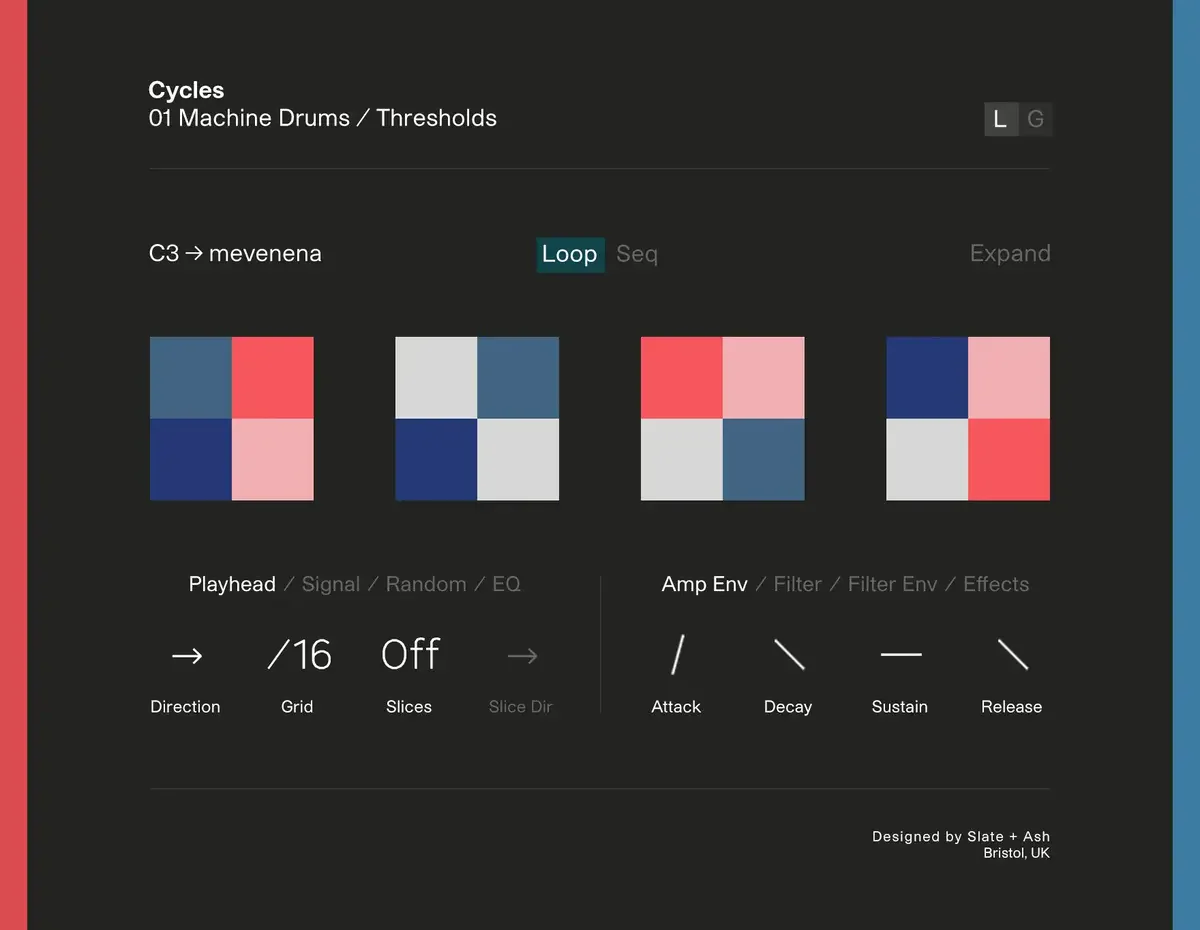
- Loop Mode: Slices up the sound into loops.
- Granular Mode: Breaks the sound down into tiny grains, which are recombined into new textures.
From here, you can manipulate, tweak, and modulate these engines in numerous ways. The sheer number of possibilities when designing your sound can be overwhelming.

States: Preset Starting Points
To make this more manageable, Slate and Ash have created “states” for each engine. These states are categorized by five general descriptors (e.g., texture, ambient, rhythmic). They function as presets that save the entire engine configuration. Cycling through these states provides useful starting points or inspiring ideas about what the software can do.
Sequencers: Intuitive Pattern Generation
Both engines feature graphic sequencers that modulate the source sound slices. Each slice is represented by a colored square that can be toggled on or off. The sequencer is intuitive to use and should be viewed as a Cartesian (2D) visual pattern generator rather than a linear chain. It can be easily edited, randomized, and modulated to create evolving patterns.

These patterns can also be quantized to different scales, enabling diatonic arpeggiation of the source material.
Granular Engine: XY Sequencer
The granular engine includes an XY sequencer with four XY windows, each offering recordable gestures. These windows can be assigned to various parameters of the grain cloud, creating potential for massively evolving sounds.
This functionality alone could keep one occupied for years—creating new rhythmic textures, interesting evolving arpeggios, and ambient pads.
Higher-Level Parameters
In addition to these features, numerous higher-level parameters allow further manipulation of sound—tuning, octave, density, drift, envelopes, reverb, delay, and more. Each of these parameters can be modulated with its own LFO (Low-Frequency Oscillator).
User Experience
Slate and Ash have created a helpful page on their website guiding users through different ideas and ways of using Cycles. I found this resource extremely useful when starting out with the instrument.
For those interested in seeing Cycles in action, this video quickly showcases its ability to transform a single piece of source material into a wide range of usable, beautiful, unique sounds.
Key Points to Consider Before Purchasing Slate and Ash Cycles:
- CPU Usage: This software is CPU-intensive. While it generally runs fine on most systems, certain tweaks can push CPU usage beyond 50%. This improved significantly after upgrading to an Apple Silicon Mac M2 but still requires attention.
- Lack of Updates: There have been no updates since 2020. While not necessarily an issue now, I hope the developers continue to improve upon this software as it has the potential to become a true classic.
Conclusion
Cycles is absolutely my favorite instrument on the Kontakt platform. Considering that Kontakt has inherent limitations by design, Slate and Ash have pushed the boundaries further than most other creators. The sounds you can produce with this software are truly mind-boggling. If you’re into loop creation or sound manipulation, this deserves serious consideration.
The thought behind Cycles‘ design—balancing instant accessibility with immense depth—is outstanding. The organic quality of the sound is disarming; it produces beautiful rich pads alongside glitchy loops that are incredibly satisfying in a digital environment.
At $139 (as listed on Slate & Ash’s website), Cycles is an absolute bargain considering its depth and potential for creative exploration. If you’re interested in loop manipulation or granular synthesis within Kontakt’s environment, this product should be at the top of your list.
More information about Cycles can be found here.