First things first. You might have awesome audio gear and software tools, but setting up your home studio correctly is a crucial first step to getting the best out of your productions.

There are many factors to consider, from things like speaker placement and room treatment to ensure you are getting the most accurate sound possible, to knowing what essential equipment to purchase. All of this can be daunting when you are finding your feet in music production, so Point Blank has some tips to help you get started.

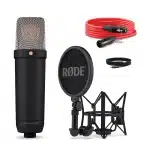
In this video tutorial, Point Blank Creative Director JC Concato guides you through the first steps of setting up your home studio. Starting by discussing how to effectively treat a room, JC goes on to detail the specs you will need to meet with your computer, as well as discussing how to choose your DAW and sound card, before going on to explain how to select and set up your midi keyboard and mic.

JC gives examples of both entry level and mid-range equipment, going into detail and divulging what to look out for when making your purchase decisions. Once you’re all set up, sign up to the Point Blank YouTube channel to check out some more tutorials and get stuck into making some music!
You can learn more about Music Production on Point Blank’s BA (Hons) Music Production & Sound Engineering Degree, on which they teach everything you need to know including mixing & mastering, composition and music business. They also offer an online alternative, in the form of their new online BA (Hons) Music Production & Sound Engineering Degree. Point Blank are currently offering a 20% discount plus a free copy of Ableton Suite or Logic Pro X with select online courses until August 31st, so make sure you enrol soon!
Also, if you would like to improve the stereo imaging of your monitor speakers and headphones when listening to/mixing music and sound. make sure to check out our Sonarworks Reference 4 reviewSonarworks Reference 4 review!