Welcome to our Samplr and Borderlands Granular review, the second installment of our series highlighting some of the most significant music-making apps for iOS released in recent years—aptly titled “Classics for a Reason!”
2024 Editor’s note: we have recently updated this text in order to mention some relevant app updates.
Samplr: A Creative Performance Looping Sampler
Samplr is an inventive performance looping sampler that accommodates six separate sound channels. Users can load sounds or record them directly into the app, enabling creative sound manipulation. This can lead to the generation of fantastic ideas and gestural performances that are invaluable for brainstorming and, to a limited extent, live use for the daring.
Marcos Alonso, the mind behind Samplr, was previously part of the Reactable team, which gained notoriety through Björk’s use (check also our Reactable iPad app review). He has since joined Apple.


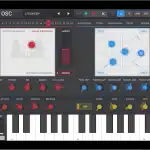
The app boasts a sleek design, reminiscent of Teenage Engineering’s OP-1 synth, with bright colors set against a dark background. It fills the iPad screen without feeling overcrowded. Upon launching Samplr, users are greeted with a straightforward tutorial that introduces the app’s elements and usage.
Users can interact with samples in eight distinct ways, easily switchable via the bank selection:
- Slicer
- Looper
- E-bow
- Tape
- Scratch
- Keyboard
- Loop Player
- Arpeggiator
Here’s a video of the different play modes in Samplr
Each mode is intuitive and self-explanatory, offering unique interactions with the samples. For instance, Slicer divides samples into segments for playback, while Looper plays sample fragments between two fingers. The app’s multimodal capabilities for sound manipulation are impressive, with each method yielding distinct results on different samples, often with minimal effort.
After loading samples, setting anchor points, looping, and recording performances using any playback method is straightforward. Users can loop these performances, quantize, and tune their actions. With six tracks available, there’s ample space to flesh out song ideas.

This would be enough for a really good scratch pad for your song ideas. But it goes further:
There are 6 effects on each track, and a master effects window. Reverb, comp, delay, distortion, all the usual suspects. All good quality, and in an X/Y window that affects 2 parameters per effect (delay time and feedback for example) One wish I would have is that you could record your movements on the effects window. That would add more dimension to the effects in Samplr.
Integration and Usability
Samplr excels in audio integration, offering straightforward recording through the microphone input and seamless connections with other iPad instruments via Audiobus. Dropbox support facilitates sample uploading and downloading, and traditional file management is possible through iTunes syncing.

Samplr Review – Conclusion
This is my go-to tool for inspiration when I’m traveling. I either load up prerecorded sounds that I’ve already saved in the software, or record them live using the inbuilt mic access, or audio copying from another app such as DM1 or Animoog. The immediate satisfaction of this program is unparalleled in my opinion on iOS. There isn’t anything else out there that can compete with Samplr for creative idea-making.
The GUI is beautiful and clearly laid out with thin, colorful idents that show exactly what’s going on all the time. As of now, the only downside I could find is that it’s not really solid in terms of MIDI sync. Slaving to an external clock causes a few minor issues. I would hesitate to use this in live settings that are any more than fun times (FYI: The following updates have fixed this problem and the most recent 1.5 update, from February 2024 added support for external MIDI controllers and Sync input on top of the previously added Ableton Link compatibility).
The only other comment I would add to my wishlist for this app would be the ability to record effects with gestures, to create a bit of movement within the effects themselves. But as a scratchpad, for coming up with ideas on the road – this is definitely my number one app in terms of solid creative potential.
Price
$19.99 (updated on February 2024). Rarely on sale.
…This is my goto tool for inspiration when I’m traveling…
PROS
- Very very intuitive. The immediacy is very welcoming An absolute dream to create really fun music on.
- Still updated in 2024!
CONS
- None really!

Borderlands Granular
Borderlands Granular is an award winning sample playback app, that focuses on granular sampling. It’s a simpler app than Samplr to find your way around – more of a one trick pony. Yet what a beautiful pony it is. I think this, alongside Samplr is the best looking music app out in the iOSphere at this point in time. It’s a wonder to look at.
The iPad screen serves as a canvas where resizable, ethereal waveforms appear as they are loaded. Double-tapping a waveform initiates the creation of beautiful grain cloud musical ambiances, making it a must-have for ambient electronica enthusiasts.

The app includes four standard sounds, with the option to add your own via iTunes syncing. Despite some user frustration with this process, the app’s potential for creating soundscapes is significant. Interacting with the audio waveforms is immediate and inspiring, allowing users to directly select sampling areas with their fingers. Performance recording and SoundCloud uploading are also available
Here’s a video of borderlands in action, as played by its creator, Chris Carlson.
Borderlands Granular Review – Conclusion
While Borderlands Granular’s scope is limited to soundscapes, it excels within this niche, producing exquisite ambient textures. An eagerly awaited update promises to enhance the app’s connectivity, which currently lacks Audiobus support and has a cumbersome audio file import process. Dropbox integration and additional export options would be welcome improvements. The app’s potential for creating inspiring sounds is immense, and the forthcoming update could transform it into an even more powerful music creation tool.
Price
$17.99 (updated on February 2024). Rarely on sale.
…The immediacy of interacting with audio waveforms, and picking out the area you want to sample directly with your finger is just so inspiring!…
PROS
- Beautiful sound.
- Very engaging, simple and intuitive
CONS
- Limited external connectivity
- Lack of updates